Every millisecond counts in competitive gaming, making your hardware choices critical. Understanding the physical mechanics of your switches allows you to react faster and prevent accidental inputs. This guide explains the exact difference between actuation and bottoming out. By learning how to adjust these settings, you can tailor your setup for specific genres and improve your overall performance.
What Is An Actuation Point On A Mechanical Gaming Keyboard?
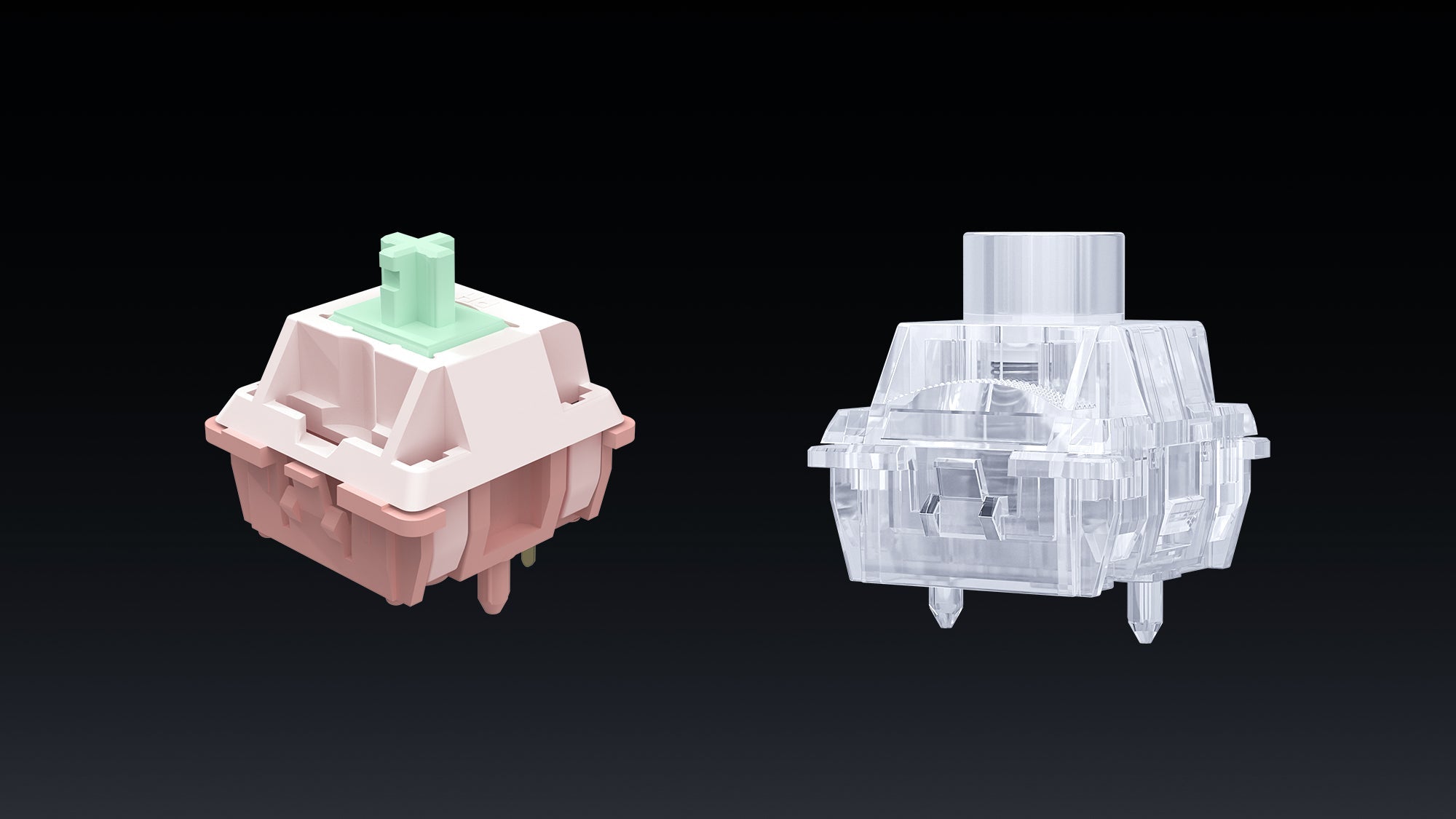
The actuation point is the exact physical distance a switch must travel downward before the computer registers the keystroke. On a standard mechanical gaming keyboard, this point is completely invisible and happens before the key is fully pressed to the base. The switch contains internal metal contacts that touch each other at this specific depth, completing the electrical circuit and sending the signal to your computer.
Most traditional mechanical switches feature an actuation point of 2.0 millimeters. Speed-focused switches reduce this distance to 1.0 or 1.2 millimeters. Modern magnetic switches take this even further, allowing users to adjust the point down to 0.1 millimeters. When you press the key, the action occurs at this exact measurement. Understanding this technical specification is the first step to mastering your hardware and ensuring your inputs register exactly when you intend them to.
What Does Bottom Out Mean When You Press A Key?

Bottoming out occurs when you press a key down entirely until the plastic stem hits the bottom of the switch housing. This represents the maximum physical limit of the switch. Even though the key registers the input at the earlier actuation point, human fingers naturally carry momentum, continuing to push the key downward until it physically stops.
The standard keyboard bottom out distance usually measures exactly 4.0 millimeters. Low-profile switches reduce this total travel distance to around 3.0 millimeters. Hitting this physical limit causes the audible "clack" sound associated with mechanical typing. Understanding your keyboard bottom out distance is vital for ergonomics, as repeatedly striking the bottom of the chassis with high force can cause finger fatigue during long gaming sessions. Many players install rubber O-rings to reduce this distance and dampen the physical impact.
Why Does Actuation Point Matter For Gaming Speed?
The Link Between Distance And Reaction Time
The physical distance a key travels directly dictates your in-game reaction time. If your switch requires 2.0 millimeters of travel to register an input, it will take physically longer for your finger to trigger that command than a switch requiring only 1.0 millimeter of travel. In competitive environments where server tick rates and ping are heavily scrutinized, reducing the physical travel time of your finger is equally important.
Reducing Physical Latency
To gain a competitive advantage, players often optimize keyboard actuation point settings. A shorter actuation distance reduces physical latency, allowing characters to move, shoot, or dodge a fraction of a second earlier. On a modern mechanical gaming keyboard, minimizing this travel time is crucial for high-level esports performance. Modifying this distance ensures that your physical reflexes translate to digital actions with zero unnecessary delay.
How To Optimize Keyboard Actuation Point For FPS Games
The Need For Extreme Speed In Shooters
First-person shooter (FPS) games like Valorant and Counter-Strike require instant, precise reactions. Players must stop their character's movement instantly to shoot accurately, a technique known as counter-strafing. If your movement key takes too long to register or deactivate, your character will fire while moving, resulting in massive accuracy penalties.
Adjusting For Maximum Responsiveness
To execute these movements flawlessly, you must optimize keyboard actuation point levels to the shortest possible distance. Using magnetic Hall Effect switches, set your primary movement keys (W, A, S, D) to actuate at 0.1 or 0.4 millimeters. The best gaming keyboards 2026 offer fully customizable magnetic switches, allowing you to change these distances per key via their desktop software. This ensures the slightest touch registers a movement immediately, giving you a tangible advantage when peeking corners or dodging enemy fire.
 How To Adjust Keystrokes For MOBA, MMO, And Rhythm Games
In Multiplayer Online Battle Arenas (MOBAs) like League of Legends, or MMOs like World of Warcraft, accidentally pressing a long-cooldown ultimate ability due to a highly sensitive key can ruin a match. For these genres, setting a standard 2.0-millimeter actuation point is vastly safer. It requires a deliberate, intentional press, heavily reducing the chance of catastrophic typos during chaotic team fights.
Rhythm games require absolute timing consistency rather than just raw speed. Players often press keys fully downward to maintain a physical rhythm with the music. Knowing your exact keyboard bottom out distance is vital here. A uniform 4.0-millimeter travel helps maintain a steady tempo. Many gaming keyboards of 2026 allow you to save different onboard profiles, so you can switch from a highly sensitive FPS layout to a deeper, more deliberate MOBA layout instantly depending on the game you launch.
Do Rapid Trigger Keyboards Help Reduce Input Delay?
On a standard mechanical switch, a key must travel back upward past a fixed reset point before you can press it again to register a second input. For example, if a key actuates at 2.0 millimeters, it might need to travel back up to 1.8 millimeters to reset. This mandatory upward travel causes a slight delay if you need to double-tap a key very quickly.
Rapid trigger keyboards eliminate this fixed reset point entirely by utilizing magnetic sensors. The moment you stop pressing down and the key begins to move upward, the switch resets instantly, regardless of its physical depth. If you press down again just 0.1 millimeters later, it registers a completely new input. Rapid trigger keyboards drastically reduce physical input delay and finger fatigue, making them the superior choice for games that require rapid, repetitive key presses.
Compare Linear Vs Tactile Switches For Gaming
Characteristics Of Linear Switches
Linear switches, commonly color-coded as Red or Silver, offer a completely smooth keystroke from top to bottom. They provide no physical feedback or resistance when the actuation point is reached. Because there is no internal friction, linear switches are preferred for fast, repetitive inputs and rapid double-tapping.
Characteristics Of Tactile Switches
Tactile switches, commonly color-coded as Brown, feature a distinct physical bump at the actuation point. This bump alerts the user's finger that the key press has successfully registered before they reach the full keyboard bottom out distance. This feedback prevents the user from needing to press the key all the way down, potentially increasing overall typing speed.
Making The Right Choice For Your Genre
When evaluating linear vs tactile switches for gaming, linear is generally the undisputed standard for fast-paced shooters and games utilizing rapid trigger technology. The lack of a bump allows for faster movement. However, when comparing linear vs tactile switches for gaming for MMOs, strategy games, or typing-heavy tasks, tactile switches provide better accuracy by confirming intentional presses and preventing accidental skill activations.
Optimize Actuation and Bottom Out for Every Game
Choosing the right hardware settings defines your gaming experience. Whether you need instant actuation for shooters or deliberate, tactile presses for strategy games, adjusting your physical keystrokes provides a measurable advantage. The best gaming keyboards 2026 make it easy to optimize keyboard actuation point distances via software. By understanding switch mechanics, you can eliminate input delay and execute commands with absolute precision.
Actuation Point and Bottom Out FAQs
Are rapid trigger keyboards better than standard mechanical ones?
Yes, they provide a massive advantage for competitive gaming. Rapid trigger keyboards allow for dynamic reset points based on finger movement rather than fixed physical distances. This means you can double-tap keys and change movement directions significantly faster than on a standard mechanical gaming keyboard that requires the key to travel upward to a fixed reset mechanism.
Which is better for gaming, linear or tactile?
In the debate of linear vs tactile switches for gaming, linear switches are the industry standard for fast-paced competitive games due to their smooth, uninterrupted travel. Tactile switches are preferred for typing, general computer use, and strategy games where preventing accidental inputs is a higher priority than raw speed.
Should I bottom out my keys while gaming?
Bottoming out is a natural habit for most typists and gamers, and it does not damage the keyboard. However, if you rely heavily on fast inputs, pressing the key down fully wastes physical time. Using highly sensitive switches trains you to press lighter, saving milliseconds per action and reducing finger joint fatigue over long sessions.
Can I change the actuation point on any keyboard?
No. Standard mechanical keyboards have a fixed actuation point dictated by the physical copper contacts inside the switch. To change this distance, you must purchase a keyboard equipped with magnetic Hall Effect switches or optical switches that support adjustable actuation via their accompanying desktop software.