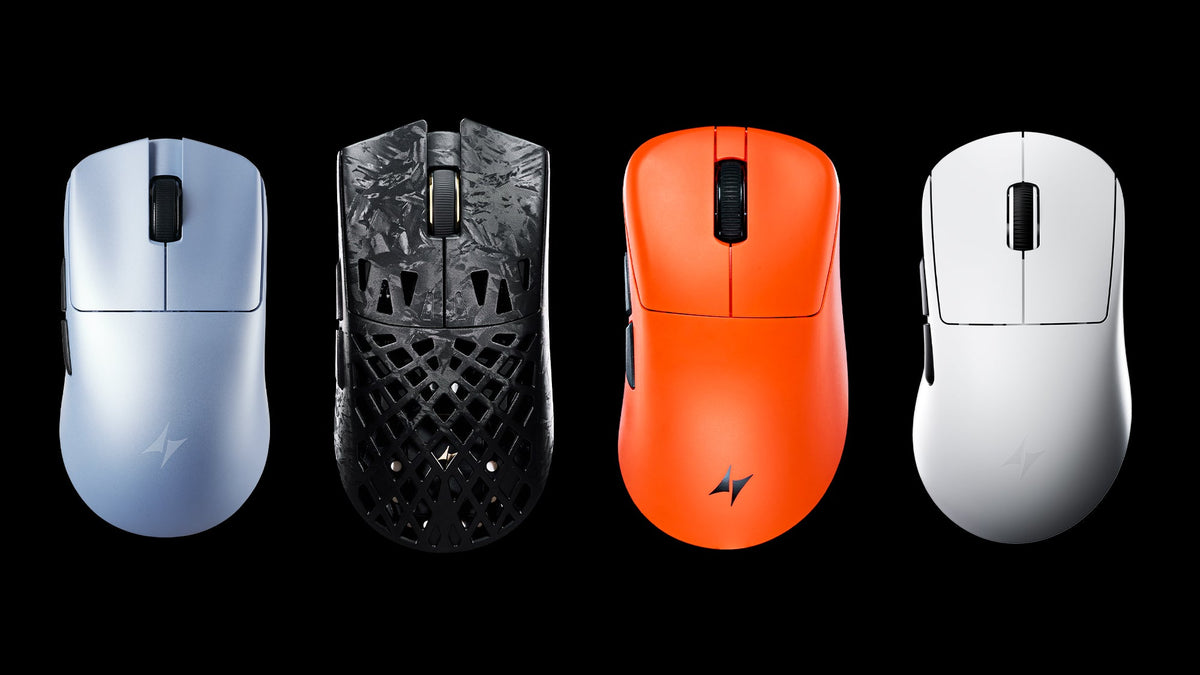
The short answer: choose ATK F1 if you want a shorter symmetrical mouse for small to medium hands. Choose ATK X1 if you want a longer, fuller shape for medium to large hands. Current F1 V3 editions weigh 36–37g, while the X1 V2 Air+ is listed at 48g. Both offer high-end gaming hardware, so fit should come before sensor or maximum DPI.
What we are comparing: F1 and X1 each come in several generations and editions. Their published shell dimensions are consistent across the current pages: 118.2 × 62.4 × 38.8 mm for F1 and 127 × 64 × 40 mm for X1. We use F1 V3 and X1 V2 for current hardware examples and call out older models when their grip recommendations or specifications differ. This is a specification-based comparison, not a hands-on review.
ATK F1 vs X1 at a glance
|
Category
|
ATK F1 family
|
ATK X1 family
|
|
Shape
|
Compact symmetrical
|
Longer, fuller symmetrical
|
|
Published dimensions
|
118.2 × 62.4 × 38.8 mm
|
127 × 64 × 40 mm
|
|
Official hand-size direction
|
Small-to-medium
|
Medium-to-large
|
|
Official grip guidance
|
F1 V3: claw/palm; original F1: claw/fingertip
|
Claw/palm on original X1 and X1 V2
|
|
Current weight examples
|
F1 V3: 36–37g depending on edition
|
X1 V2 Air+: 48g; other X1 V2 editions vary
|
|
Current connectivity examples
|
F1 V3: wired/2.4 GHz
|
Selected X1 V2 editions: wired/2.4 GHz/Bluetooth
|
|
Best reason to choose it
|
Shorter shell and lower weight
|
More shell length and a larger official hand-size range
|
|
Main fit risk
|
May feel too short or insubstantial
|
May feel too long or bulky for a fingertip-led grip
|
The biggest difference is shape and size
F1 is 8.8 mm shorter, 1.6 mm narrower and 1.2 mm lower than X1 according to ATK's published maximum dimensions. Length is the clearest difference: F1 takes up less space beneath the hand, while X1 extends farther toward the palm.
The width figures are close, but maximum width alone does not tell you how the sidewalls or hump will feel. ATK's hand-size guidance is more useful here: F1 is intended for small to medium hands, while X1 is intended for medium to large hands.
A simple way to choose: start with F1 if your current mouse feels too long. Start with X1 if compact mice feel cramped or leave too little room for a relaxed claw or palm grip. Before ordering, compare both sets of dimensions with a mouse you already know.
Which is better for your hand size?
Small hands
For small hands, F1 makes more sense: ATK lists the family for small to medium hands. X1 is designed for medium to large hands and will generally take up more space beneath the palm.
Medium hands
Medium hands sit in the overlap between ATK's two size labels. Choose F1 when you deliberately want the shorter shell; choose X1 when you want more length under the hand. Grip style and your current mouse dimensions should break the tie.
Large hands
For large hands, X1 is the better place to start because ATK lists it for medium to large hands. Some players deliberately use an undersized mouse, so F1 is still possible if you already know that is your preference.
Hand-size labels are only a starting point. Measure from the wrist crease to the tip of the middle finger, then compare a familiar mouse with both ATK shapes. That gives you a more useful reference than relying on “small,” “medium” or “large” alone.
ATK F1 vs X1 for claw grip
ATK officially lists claw grip for current F1 and X1 models. The choice is therefore about size, not whether either family can support the grip at all.
-
Small-to-medium hand: F1 matches ATK's size guidance and keeps the shell compact.
-
Medium-to-large hand: X1 matches ATK's size guidance and provides 8.8 mm of additional length.
-
Prefer less palm contact: try F1 first; its body is 8.8 mm shorter.
-
Prefer more shell under the hand: try X1 first; its larger body gives the palm more room to make contact.
F1 V3 lists claw and palm grip, while the original F1 page lists claw and fingertip. Because the published dimensions are the same, the change may reflect updated positioning or edition-level details rather than a completely new shell. Buyers should follow the page for the exact generation they are considering.
Which is better for fingertip grip?
The original F1 page lists fingertip grip, while the current F1 V3 and X1 V2 pages list claw and palm. If you are comparing F1 V3 with X1 V2, F1's shorter, lighter shell is more likely to suit fingertip control, but ATK does not list fingertip grip for either of those current pages.
Do not decide from weight alone. Compare the mouse length and side contact with your current fingertip mouse, and use ATK's return policy as a practical check if you cannot try the shape locally.
Which is better for palm grip?
Both F1 V3 and X1 V2 list palm grip. F1 is sized for small to medium hands; X1 is sized for medium to large hands. Their dimensions, rather than the shared grip label, should decide between them.
If you want a tilted right-handed shell rather than a symmetrical palm-grip mouse, compare Z1 V2 or Y9. F1 and X1 are both symmetrical.
Weight: how much does the difference matter?
F1 is the lighter option in the current lineup. F1 V3 is listed at 37 ± 3g for Ultimate+ and 36 ± 3g for Extreme+. X1 V2 Air+ is listed at 48g, while Ultra Max 2.0 is listed at 55 ± 3g. Because X1 V2 includes several editions, check the model comparison on the product page instead of applying one weight to the entire family.
Lower moving mass can reduce the effort required for repeated lifts and direction changes. That does not prove F1 will improve aim: a shape that does not fit can still force grip adjustments. Treat weight as a meaningful difference after choosing the correct size.
Competitive FPS use: speed versus planted control
For FPS play, the verified differences are straightforward: F1 is shorter and lighter; X1 is longer and designed for a larger hand-size range. It is reasonable to expect F1 to require less effort to lift and X1 to provide more potential hand contact, but neither specification proves that one will be more accurate.
Low-sensitivity players who lift the mouse frequently may value F1's lower weight. Players whose hands feel cramped on short mice may prefer X1. The better test is whether you can keep the same grip through repeated swipes without squeezing or repositioning.
Sensor, polling rate and latency
F1 V3 uses a PAW3955 Master sensor and Nordic 54-series controller, with wired and wireless polling up to 8,000 Hz. X1 V2 editions use PAW3950 Ultra or PAW3955 Master hardware depending on the model, also with up to 8,000 Hz support. Earlier F1 and X1 models use different sensors and controllers. For additional context, Nordic Semiconductor documents the nRF54LM20 family as a low-power 2.4 GHz platform; real mouse performance still depends on ATK's firmware and complete hardware implementation.
Use these specifications to break a tie after you have chosen the right size. A higher polling rate increases report frequency, but it can also use more system resources and shorten battery life. It will not make an uncomfortable shape fit better.
Connectivity and battery life
Current F1 V3 editions list wired and 2.4 GHz connectivity. Selected X1 V2 editions list wired, 2.4 GHz and Bluetooth. Battery capacity and quoted runtime also vary widely by edition, and ATK reports battery estimates at 1,000 Hz rather than 8,000 Hz.
If the mouse moves between a gaming PC and another device, Bluetooth can be a meaningful X1 V2 advantage on a supported edition. If it stays at one gaming setup, Bluetooth may not matter. Confirm the connectivity and included receiver for the exact model in your cart.
ATK F1 or X1: final recommendation
Choose ATK F1 if you:
-
Have small to medium hands
-
Prefer a compact symmetrical shape
-
Use claw grip, or palm grip with small to medium hands
-
Want the lighter current configurations in this comparison
-
Lift and reposition the mouse frequently
Choose ATK X1 if you:
-
Have medium to large hands
-
Want more length and palm contact
-
Use relaxed claw or palm grip
-
Prefer a steadier, fuller shell over the smallest possible shape
-
Need Bluetooth on a supported X1 V2 edition
If you are still unsure, compare your current mouse with the published dimensions. If it already feels too large, start with F1. If it feels too short or forces you to pinch the sides, start with X1. You can also use the broader ATK gaming mouse guide to compare both with ATK's other shape families, or read ATK GHOST vs F1 if you want another compact option.
Frequently asked questions
Is the ATK F1 smaller than the X1?
Yes. F1 is 118.2 mm long, while X1 is 127 mm long. X1 is also 1.6 mm wider and 1.2 mm taller by the published maximum dimensions.
Is ATK F1 lighter than X1?
Yes in the current high-end lineup. F1 V3 is listed at 36–37g depending on edition; X1 V2 Air+ is advertised at 48g, with other X1 V2 editions varying.
Is F1 or X1 better for claw grip?
Both officially support claw grip. Choose F1 for small to medium hands and a shorter shell; choose X1 for medium to large hands and more length.
Can large hands use ATK F1?
They can, especially if they intentionally prefer an undersized mouse, but ATK positions F1 for small to medium hands. X1 is the model intended for medium to large hands.
Do F1 and X1 have the same sensor?
Not across every model. Both families contain multiple generations and editions, and their sensors and controllers vary. Compare the exact two variants rather than assuming all F1 and X1 models share hardware.