




マウスは、コンピューターの使用において非常に重要な周辺機器です。特にデスクトップPCでは、マウスに不具合が起きるとほとんど操作できなくなり、戸惑うことも少なくありません。そこで以下では、マウスが動かない・反応が遅い、クリックが効かない、スクロールホイールが動作しない、ポインターが不規則に動く、カーソルが異常に動く(跳ねる・震える)といった、マウスのよくある不具合と対処法をご紹介します。
1. マウスが動かない、または反応しない:
·接続を確認する: マウスのUSBポートまたはワイヤレスレシーバーが、コンピューターに正しく接続されていることを確認してください。
·電池を交換する(ワイヤレスマウス): ワイヤレスマウスをご使用の場合は、新しい電池に交換してみてください。
·マウスを清掃する: マウス底面の光学センサーとマウスパッドの表面を清掃してください。ホコリや汚れがマウスの動作に影響する場合があります。
·マウスをテストする: マウスを別のコンピューターに接続し、問題が続くか確認して、マウス本体に原因があるかを判断してください。
2. マウスクリックが効かない:
·ドライバーを確認する: マウスのドライバーが正しくインストールされ、または更新されていることを確認してください。デバイスマネージャーで問題を確認できます。
·設定を調整する: OSのマウス設定で誤設定がないか確認してください。特にダブルクリック速度とクリック感度の設定を見直してください。
·マウスを交換する: 別のマウスを使用して、問題が続くか確認してください。
3. スクロールホイールが動作しない:
·スクロールホイールを清掃する: 圧縮空気や柔らかい布を使って、ホイール周辺のホコリを取り除いてください。
·設定を確認する: システムのスクロールホイール設定が、誤って変更されていないか確認してください。マウス設定でスクロール量を調整できます。
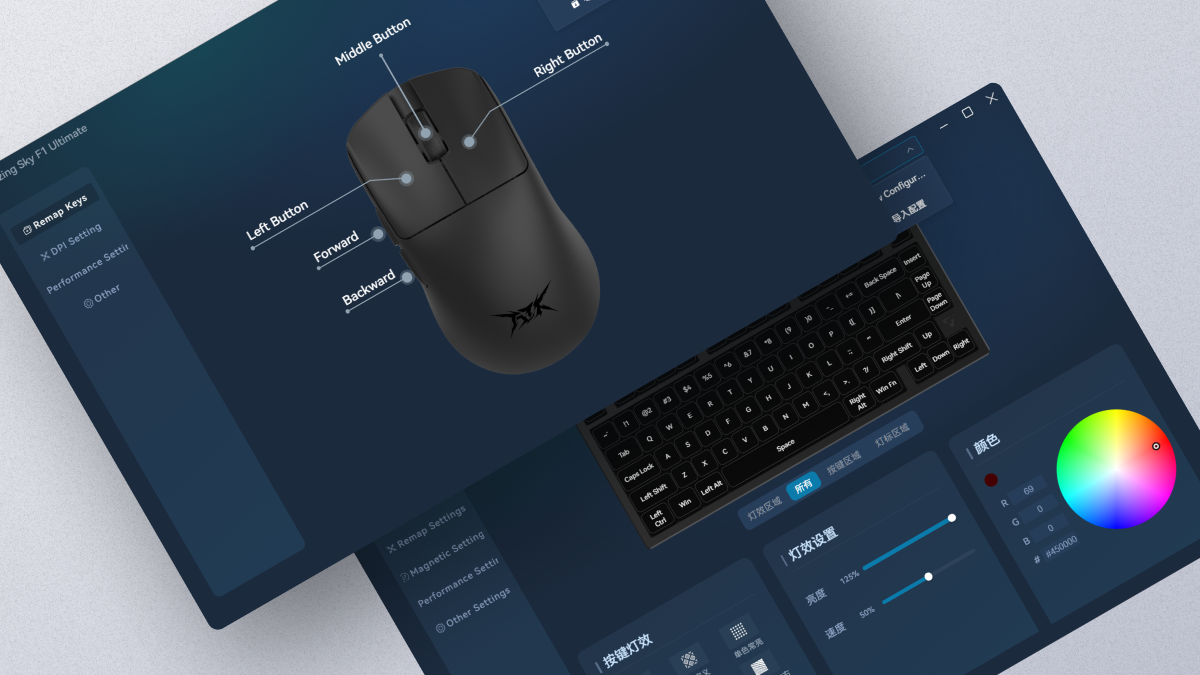
·ATK V HUB Driver update: マウスドライバーが最新であることを確認してください。
4. マウスポインターの動きが不安定:
·表面を確認する: マウスパッドを使用するか、マウスを使う表面を変更し、反射しすぎていないか、または粗すぎないかを確認してください。
·光学センサーを確認する: 光学センサー部分にホコリや汚れがないことを確認してください。
·再キャリブレーションを行う: ATK V HUBでマウスの再キャリブレーション操作を実行できます。
5. マウスカーソルが異常に動く(跳ねる、または震える):
·表面を変える: 別の表面でマウスを使ってみてください。表面が清潔で平らであることを確認してください。
·電磁干渉を確認する: 一部の機器はマウスカーソルに影響を与える場合があります。強い電磁干渉のある環境での使用は避けてください。
·別のUSBポートを試す: 有線マウスをご使用の場合は、コンピューターの別のUSBポートに接続してみてください。
ワンポイントアドバイス:
·パッケージに付属する純正ケーブルを別の使用可能なケーブルに交換する場合は、そのケーブルが8K polling rateに対応していることを確認し、延長ケーブルは使用しないでください。
·ケーブル交換後は、マウスとレシーバーを工場出荷時設定にリセットし、8K receiverを再ペアリングしてください。それでもカクつく場合は、return rateを4Kに調整してみてください。
·ノートPCをご使用の場合は、延長ケーブルやUSB拡張ポートは使用せず、コンピューターのUSBポートに直接接続してください。
· デスクトップPCをご使用の場合は、本体背面のUSB 3.0ポートに直接接続してください。
ご案内:
ATKマウスの8KHz体験を十分にお楽しみいただくため、まずはお使いのPC環境が以下の最低推奨構成を満たしていることをご確認ください。そうすることで、マウスの性能を最大限に引き出せます。
CPU: Intel Core i7 9700K以上、AMD Rexon 73700X以上。
モニター: リフレッシュレート240Hz以上
グラフィックス:NVIDIAGTX1080以上 AMDRX5700以上
メモリ: 16GB以上
上記のご提案が少しでもお役に立てば幸いです。問題がまだ解決しない場合は、お手数ですが再度お問い合わせください。ご協力とご理解のほど、よろしくお願いいたします。
16 コメント
Mark Mckenzie
Rene
jherzon grandez
Llorach
J’ai essayé de mettre ma souris à jour, sauf que la page c’est fermé, depuis ma souris ne fonctionne plus. Quand je suis en filaire elle n’est plus détectable. Comment puis-je faire pour qu’elle remarche ?
J’ai essayé de mettre ma souris à jour, sauf que la page c’est fermé, depuis ma souris ne fonctionne plus. Quand je suis en filaire elle n’est plus détectable. Comment puis-je faire pour qu’elle remarche ?
David
My mouse’s stable performance depends on holding down any click. Releasing any click causes an incredibly unstable polling rate, causing latency and accuracy issues and rendering it unusable. Reinstalling the firmware didn’t work, and it happens on other PCs as well.
VXE R1 PRO MAX is the worst mouse ever made.
My mouse’s stable performance depends on holding down any click. Releasing any click causes an incredibly unstable polling rate, causing latency and accuracy issues and rendering it unusable. Reinstalling the firmware didn’t work, and it happens on other PCs as well.
VXE R1 PRO MAX is the worst mouse ever made.
Hoài Nguyễn
The website tells me to do a factory reset, but there is no information on how to do it. Please tell me how to do it.
The website tells me to do a factory reset, but there is no information on how to do it. Please tell me how to do it.
kim
My mouse is broken after a firmware update. It’s bricked and nothing works. How do I fix this?
The website tells me to do a factory reset, but there is no information on how to do it. Please tell me how to do it.
My mouse is broken after a firmware update. It’s bricked and nothing works. How do I fix this?
The website tells me to do a factory reset, but there is no information on how to do it. Please tell me how to do it.
B
My mouse has turned off and its not turning back on, its on charge and the charger works but its still not turning on, please help.
My mouse has turned off and its not turning back on, its on charge and the charger works but its still not turning on, please help.