




マウスは、コンピューターの使用において非常に重要な周辺機器です。特にデスクトップPCでは、マウスに不具合が起きるとほとんど操作できなくなり、戸惑うことも少なくありません。そこで以下では、マウスが動かない・反応が遅い、クリックが効かない、スクロールホイールが動作しない、ポインターが不規則に動く、カーソルが異常に動く(跳ねる・震える)といった、マウスのよくある不具合と対処法をご紹介します。
1. マウスが動かない、または反応しない:
·接続を確認する: マウスのUSBポートまたはワイヤレスレシーバーが、コンピューターに正しく接続されていることを確認してください。
·電池を交換する(ワイヤレスマウス): ワイヤレスマウスをご使用の場合は、新しい電池に交換してみてください。
·マウスを清掃する: マウス底面の光学センサーとマウスパッドの表面を清掃してください。ホコリや汚れがマウスの動作に影響する場合があります。
·マウスをテストする: マウスを別のコンピューターに接続し、問題が続くか確認して、マウス本体に原因があるかを判断してください。
2. マウスクリックが効かない:
·ドライバーを確認する: マウスのドライバーが正しくインストールされ、または更新されていることを確認してください。デバイスマネージャーで問題を確認できます。
·設定を調整する: OSのマウス設定で誤設定がないか確認してください。特にダブルクリック速度とクリック感度の設定を見直してください。
·マウスを交換する: 別のマウスを使用して、問題が続くか確認してください。
3. スクロールホイールが動作しない:
·スクロールホイールを清掃する: 圧縮空気や柔らかい布を使って、ホイール周辺のホコリを取り除いてください。
·設定を確認する: システムのスクロールホイール設定が、誤って変更されていないか確認してください。マウス設定でスクロール量を調整できます。
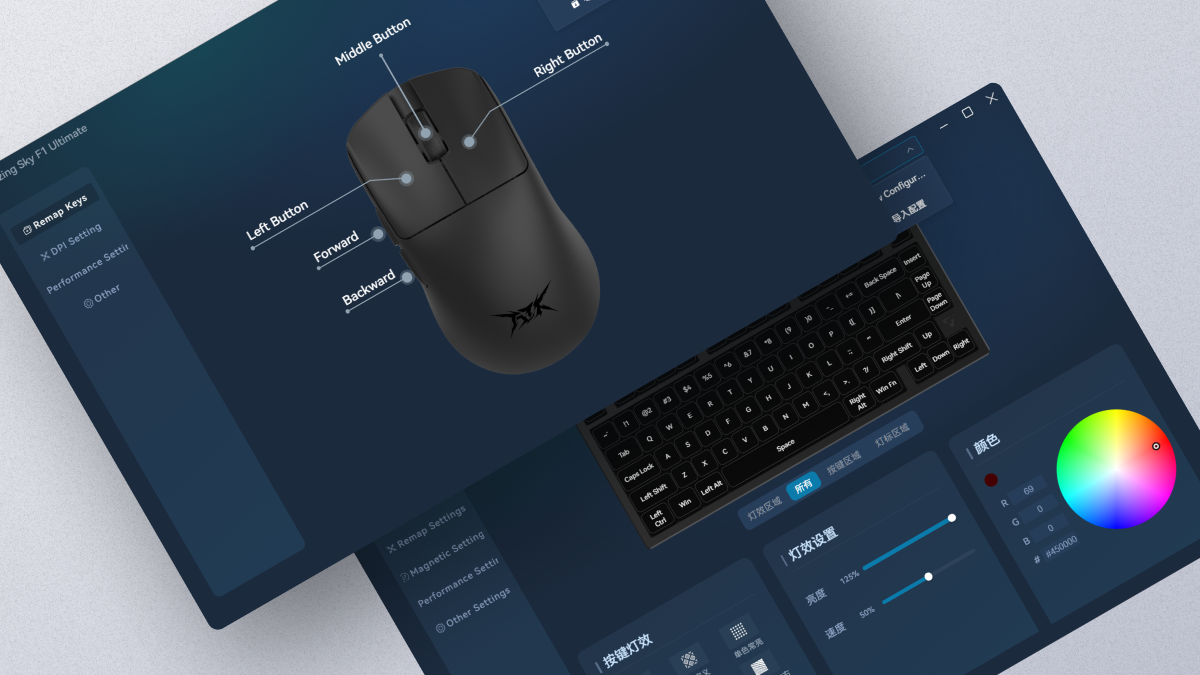
·ATK V HUB Driver update: マウスドライバーが最新であることを確認してください。
4. マウスポインターの動きが不安定:
·表面を確認する: マウスパッドを使用するか、マウスを使う表面を変更し、反射しすぎていないか、または粗すぎないかを確認してください。
·光学センサーを確認する: 光学センサー部分にホコリや汚れがないことを確認してください。
·再キャリブレーションを行う: ATK V HUBでマウスの再キャリブレーション操作を実行できます。
5. マウスカーソルが異常に動く(跳ねる、または震える):
·表面を変える: 別の表面でマウスを使ってみてください。表面が清潔で平らであることを確認してください。
·電磁干渉を確認する: 一部の機器はマウスカーソルに影響を与える場合があります。強い電磁干渉のある環境での使用は避けてください。
·別のUSBポートを試す: 有線マウスをご使用の場合は、コンピューターの別のUSBポートに接続してみてください。
ワンポイントアドバイス:
·パッケージに付属する純正ケーブルを別の使用可能なケーブルに交換する場合は、そのケーブルが8K polling rateに対応していることを確認し、延長ケーブルは使用しないでください。
·ケーブル交換後は、マウスとレシーバーを工場出荷時設定にリセットし、8K receiverを再ペアリングしてください。それでもカクつく場合は、return rateを4Kに調整してみてください。
·ノートPCをご使用の場合は、延長ケーブルやUSB拡張ポートは使用せず、コンピューターのUSBポートに直接接続してください。
· デスクトップPCをご使用の場合は、本体背面のUSB 3.0ポートに直接接続してください。
ご案内:
ATKマウスの8KHz体験を十分にお楽しみいただくため、まずはお使いのPC環境が以下の最低推奨構成を満たしていることをご確認ください。そうすることで、マウスの性能を最大限に引き出せます。
CPU: Intel Core i7 9700K以上、AMD Rexon 73700X以上。
モニター: リフレッシュレート240Hz以上
グラフィックス:NVIDIAGTX1080以上 AMDRX5700以上
メモリ: 16GB以上
上記のご提案が少しでもお役に立てば幸いです。問題がまだ解決しない場合は、お手数ですが再度お問い合わせください。ご協力とご理解のほど、よろしくお願いいたします。
16 コメント
Hoang
Dear support, hello i need help, i have a problem with vxe r1 software.
-i can’t setting the special key funcion name “fire button” , i can’t change “click interval” and “click times” i only can click on save and select.
Dear support, hello i need help, i have a problem with vxe r1 software.
-i can’t setting the special key funcion name “fire button” , i can’t change “click interval” and “click times” i only can click on save and select.
Aidan
My side buttons are labelled forward and backward and i cant use them at all
My side buttons are labelled forward and backward and i cant use them at all
yuxiang
hi my mouse buttons are reversed, my left mouse button is registered as right click and right mouse button is registered as left click
hi my mouse buttons are reversed, my left mouse button is registered as right click and right mouse button is registered as left click
Isaac
Je n’arrive pas a faire la mise a jour de ma souris en 2.4 G il y’a un bug le téléchargement ne se fait pas même au bout de 20min DONC mon dongle 4k n’arrive pas à s’appareiller à ma souris
Je n’arrive pas a faire la mise a jour de ma souris en 2.4 G il y’a un bug le téléchargement ne se fait pas même au bout de 20min DONC mon dongle 4k n’arrive pas à s’appareiller à ma souris
Lou
Cher support,
J’ai reçu une de vos souris ATK BS X1 ultimate pour noël, mais après l’avoir déballé et mise sur un tapis, je constate que la souris est un peu bancale, ce qui est perturbant. J’ai changé les patins pour voir si ca pourrait régler le problème, mais celui ci est toujours présent. Auriez-vous un conseil pour pouvoir régler ce problème, ou dois-je la renvoyer ? Est-il possible de la renvoyer même après avoir changé les patins d’origine ?
Merci de votre réponse et bonne journée
Cher support,
J’ai reçu une de vos souris ATK BS X1 ultimate pour noël, mais après l’avoir déballé et mise sur un tapis, je constate que la souris est un peu bancale, ce qui est perturbant. J’ai changé les patins pour voir si ca pourrait régler le problème, mais celui ci est toujours présent. Auriez-vous un conseil pour pouvoir régler ce problème, ou dois-je la renvoyer ? Est-il possible de la renvoyer même après avoir changé les patins d’origine ?
Merci de votre réponse et bonne journée
christian
the scroll wheel is quite laggy for som e reason and when i scroll a certain direction it goes opposite way
the scroll wheel is quite laggy for som e reason and when i scroll a certain direction it goes opposite way
Louis
Dear Support,
I believe I have gotten a unit that has a faulty mouse sensor. When moving the mouse, the axis ramps in different directions in a really consistent way, as if the sensor were skewed. I have checked the mouse’s external damage and its in new condition as it was not bought long ago.
How do I use the sensor recalibration through the software, I cannot find it anywhere.
I am still under warranty so if there is anything I can do, please let me know.
Thank you
Dear Support,
I believe I have gotten a unit that has a faulty mouse sensor. When moving the mouse, the axis ramps in different directions in a really consistent way, as if the sensor were skewed. I have checked the mouse’s external damage and its in new condition as it was not bought long ago.
How do I use the sensor recalibration through the software, I cannot find it anywhere.
I am still under warranty so if there is anything I can do, please let me know.
Thank you
Azril
Hi, i did updated the software to the latest version but then i can’t connect my mouse in wired mode. Already reinstall to the previous version but still not working.
Hi, i did updated the software to the latest version but then i can’t connect my mouse in wired mode. Already reinstall to the previous version but still not working.