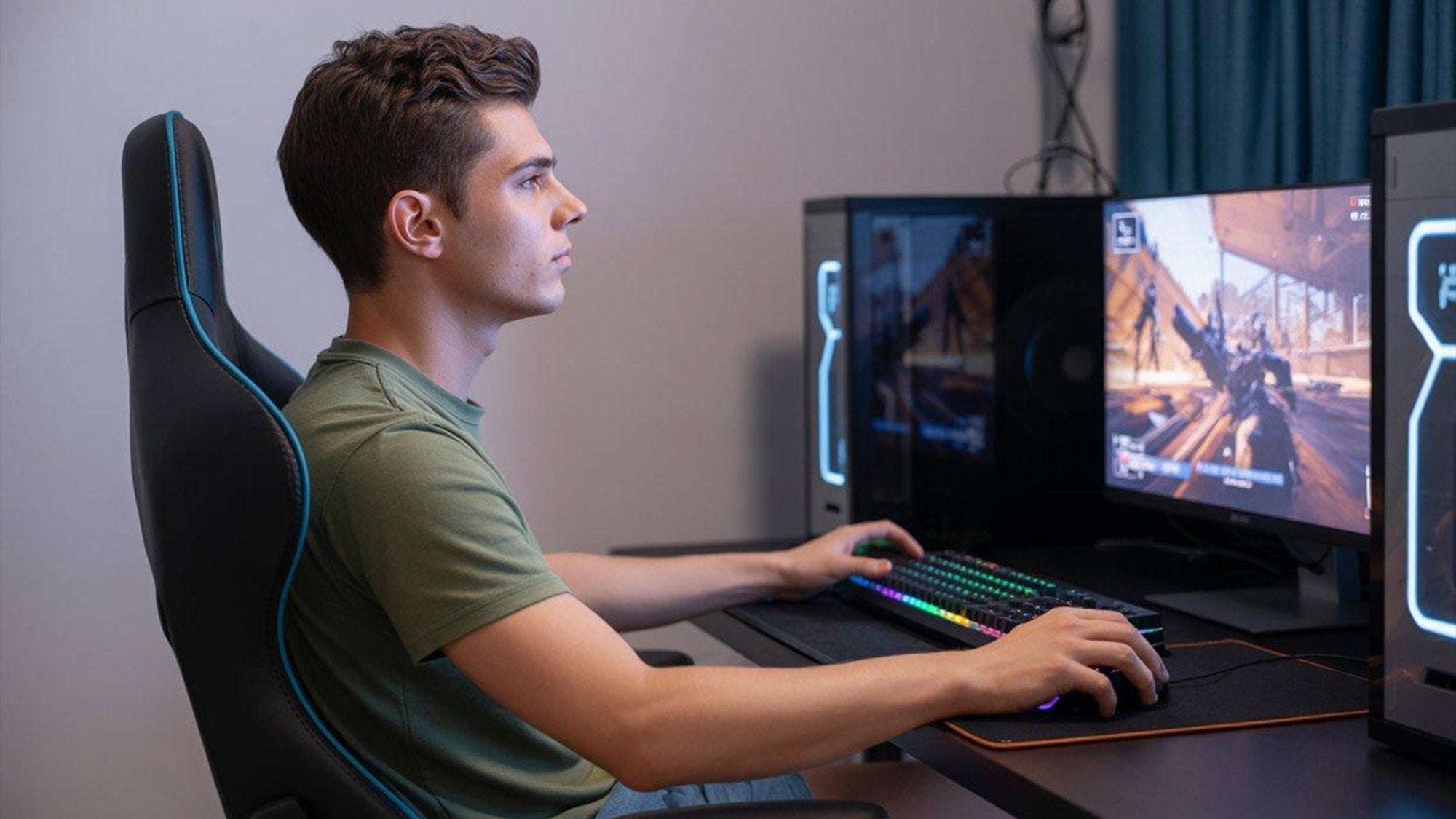
Why do my hands get tired while gaming? The short answer is usually a mix of repetition, grip tension, and awkward wrist or arm positioning. In other words, hand fatigue gaming can happen even when the game itself does not feel physically intense.
If the tiredness fades after rest, it is often a load-management issue rather than a serious injury. If it keeps coming back, turns into pain, or shows up with numbness or weakness, that is a different situation and should not be brushed off.
Why Gaming Strains Your Hands

Repetition and Micro-Motions
Fast clicking, tapping, trigger pulls, and key presses can fatigue the small muscles that steady the hand during play. A peer-reviewed esports study linked high-action gaming patterns with wrist extensor fatigue, which helps explain why gaming can wear out the hand, thumb, wrist, and forearm even when the game does not feel demanding. In plain language, tiny motions repeated over and over add up faster than most players realize.
This matters most in games that ask for constant inputs, not just big hand movements. A few intense minutes can be less tiring than a long match full of small, repeated actions. The wrist extensor fatigue study is a useful reminder that the hand is doing real work, even during “just sitting and playing.”

Grip Force and Static Tension
Hands also get tired when you hold a mouse, controller, or phone more tightly than you need to. That extra squeeze keeps the muscles working even when your fingers are not moving much. Many players do this without noticing, especially during tense moments, and it can leave the hand feeling tight or cramped afterward.
This is one reason fingers tired after gaming can happen in slower games too. The strain is not only about speed. It is also about how long you keep pressure on the same muscles.
Wrist Position and Reach
A bent wrist, a desk that sits too high or too low, or a device that forces you to reach can shift load into the wrist and forearm. A CDC-hosted wrist posture study describes neutral wrist position as the safer benchmark, meaning the forearm and hand stay close to a straight line instead of folding sharply up, down, or sideways.
That does not diagnose anything by itself, but it gives you a useful self-check. If your setup makes you fight the angle of your wrist, your hands are more likely to feel tired sooner.
Common Triggers During Play
For most players, the first clue is not a single bad move. It is a pattern.
| Trigger | What It Often Feels Like | Why It Matters | First Adjustment To Try |
|---|---|---|---|
| Long sessions | Hands feel dull, heavy, or stiff near the end of play | Continuous play raises the chance of musculoskeletal symptoms; a conservative caution point is around three hours without a real break | Take a short break and reset your grip and posture |
| Tight grip | Thumb or palm feels tired even when inputs are not that fast | Static tension can fatigue the hand even if movement is limited | Loosen the squeeze and check whether you are bracing during tense moments |
| Cramped positioning | Wrist feels bent, fingers feel stretched, or forearm feels loaded | Awkward angles make small muscles work harder than they should | Bring the device closer and recheck wrist angle |
| Repetitive button spam | Fingers feel sore, twitchy, or overworked after action-heavy play | Repetition adds up quickly in fast-paced games | Slow the pace when possible and add micro-breaks |
| Poor seat or desk setup | Shoulders rise, forearms hover, or hands feel tense from the start | Whole-body tension tends to travel down the chain to the hands | Revisit chair height, desk height, and arm support |
The session-length caution point is not a hard medical cutoff. It is a practical signal that long continuous play deserves a break or a setup check. If your hand pain while gaming shows up mainly after long runs, that is a useful clue that recovery time is part of the issue.
How to Reduce Hand Fatigue
Start with the changes that reduce load the fastest.
- Relax your grip first. If you notice yourself squeezing the mouse, controller, or phone, ease off before you do anything else. Small amounts of extra force can build fatigue faster than people expect.
- Reset your wrist position. Aim for a neutral wrist instead of letting it bend up, down, or sideways. The CDC wrist-posture research makes neutral alignment the clearest benchmark to use here.
- Use active breaks, not just passive sitting. Short movement breaks are more useful than simply staying still when discomfort starts to build. Even a quick hand shakeout, shoulder roll, or stand-up reset can help change the load pattern.
- Check your whole-body setup. A practical 90-90-90-style seated position, with feet, knees, and hips roughly at right angles, can help keep the shoulders relaxed and reduce strain that travels down into the hands. Cleveland Clinic’s esports posture guidance supports that kind of setup cue.
- Reduce unnecessary reach. If you have to stretch for buttons, mouse buttons, or screen edges, bring the input closer or change your position so the hand does less reaching.
- Shorten the session before the strain stacks up. If your hands always feel worse at the same point in a session, that is a sign to stop earlier, not push harder.
If you want a more practical way to think about setup changes, mouse comfort basics and keyboard positioning tips can help as general background, even if your main pain shows up in gaming rather than typing. And if you are comparing hand-size fit for a mouse, the article on choosing the right mouse size is a sensible next read.
When Hand Fatigue Is Not Normal
Temporary tiredness usually improves with rest, lighter grip, and fewer continuous inputs. What is more concerning is pain that keeps returning, spreads, or does not settle after you stop playing.
The clearest boundary is symptom pattern. Numbness, tingling, weakness, or swelling is not the same as ordinary tired hands. Those signs can point to something more than routine overuse, which is why University of Maryland Medical System guidance treats them as warning signs rather than normal gaming soreness.
If symptoms start affecting daily tasks, or they keep showing up after sessions, it is worth getting checked. This is especially true if you feel weakness when gripping objects, pinching, or using your hands away from the game.

Hand Comfort Checklist for Your Next Session
Before you start playing again, run through this quick check:
- Loosen your grip before the match starts.
- Keep your wrists as neutral as you can.
- Bring the mouse, controller, or phone close enough that you are not reaching.
- Check whether your shoulders are relaxed instead of raised.
- Plan a short active break before your hands start to feel tired.
- Stop if pain, numbness, tingling, or weakness shows up.
If you only change one thing, start with grip tension and wrist angle. Those are the easiest to notice, the easiest to test, and often the fastest to improve. If you still get hand fatigue gaming after that, the next step is to look at session length and overall setup, not just the device in your hand.
FAQs
Can Gaming Cause Hand Pain Even If I Use a Good Mouse or Controller?
Yes. A comfortable device helps, but it does not remove repetition, tight grip, awkward wrist position, or long sessions. If the pain is tied to play time rather than one specific device, the issue may be how you are using it, not just which one it is.
Why Do My Fingers Feel Tired After Fast-Paced Games?
Fast games often demand repeated presses, constant thumb movement, and quick reaction inputs. That can tire the small muscles in the fingers faster than a slower game with fewer actions. If it happens often, it is a sign to look at pacing, grip pressure, and break habits.
Does Poor Posture Make Hand Fatigue Worse While Gaming?
Yes, because posture can shift tension into the shoulders, forearms, wrists, and hands. You do not need perfect posture, but if you are slumped, twisted, or reaching, the whole chain tends to work harder. That usually makes tired hands show up sooner.
How Long Should I Rest My Hands During Long Gaming Sessions?
There is no single universal timing rule, but regular active breaks are a better choice than waiting until you are already sore. If your hands feel worse after long continuous play, treat that as your cue to pause earlier next time and spread the load out.
When Should I Stop Gaming and Get My Hands Checked?
Stop and get medical advice if you notice numbness, tingling, weakness, swelling, or pain that keeps returning or does not improve with rest. Those are not just signs of normal tiredness, and they deserve a closer look.
Sources
- Wrist extensor fatigue and game-genre-specific kinematic changes in esports athletes
- The Relationship of Wrist Posture to Carpal Tunnel Pressure
- How Gaming Affects Your Wrists: Risks and Prevention
- Video Game Injuries: Virtual Fun with Real-Life Consequences
- Mouse and Keyboard Ergonomics Tips from a Physical Therapist
- Esports Athlete Case Study: Posture and Nerve Health