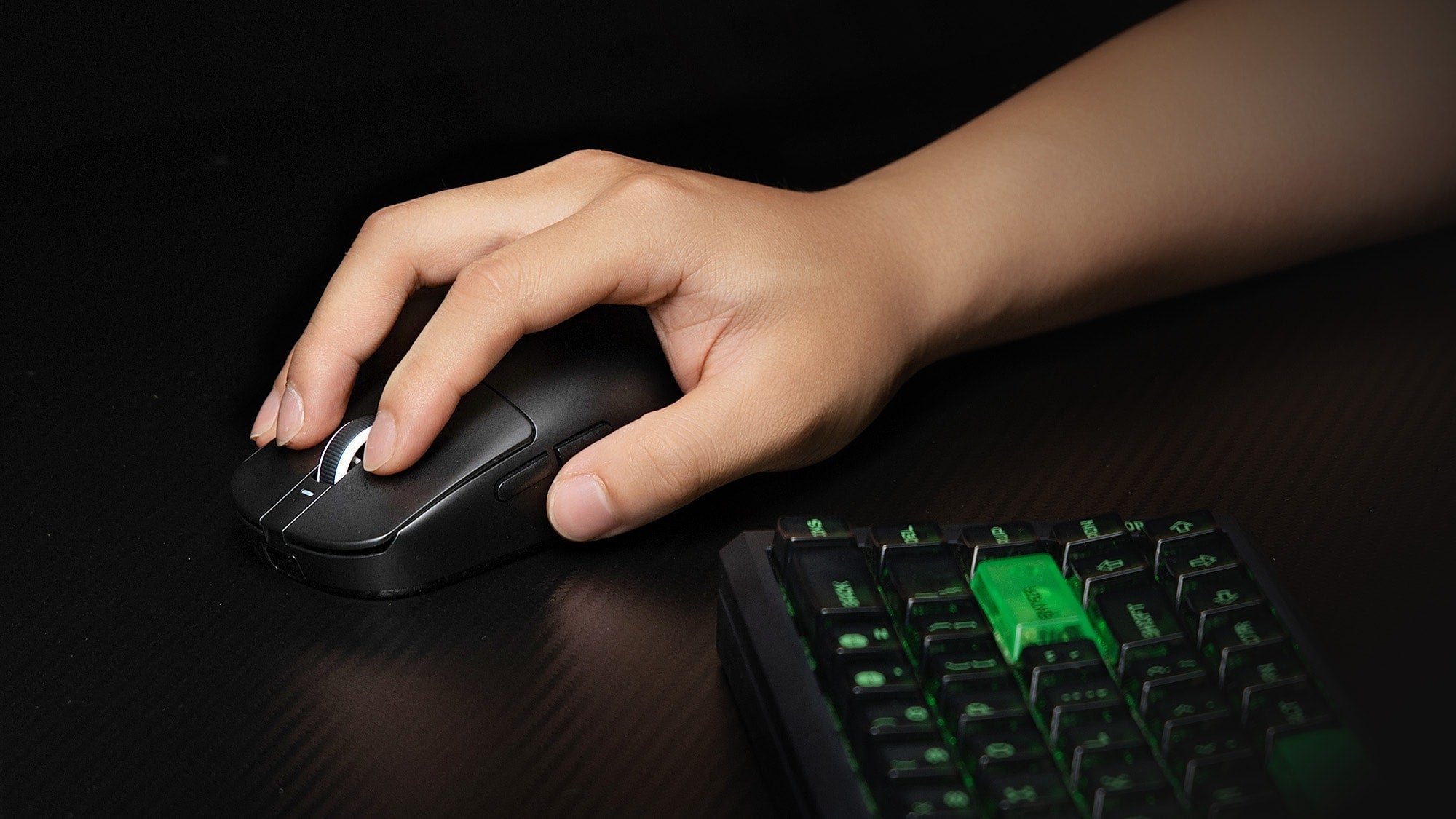
Mouse weight comfort is real, but it is only one part of the full comfort picture. A mouse that is too heavy can feel tiring when you move it a lot, while a very light mouse can feel less planted for some users. Cornell’s ergonomics guidance shows the bigger point: comfort depends on fit and grip style, not weight alone, so the same mouse can feel different depending on your hand and setup.
Does Mouse Weight Matter for Comfort?
Yes, mouse weight can change comfort during work or gaming, especially when you use the mouse for long stretches or repeat the same movement over and over. In practical terms, does mouse weight matter for comfort? Yes, but usually as part of the full fit-and-grip picture rather than as a standalone answer. More weight can mean more effort, while less weight can mean less drag.
If you move the mouse often, weight matters more. If your grip keeps the mouse stable and your sessions are shorter, it may matter less. That is why a mouse weight comfort decision should start with fit, grip, and how you actually use the mouse, not the number on the box alone.

What Weight Changes in Daily Use
Heavier Mice and Fatigue
A heavier mouse can require more effort to start, stop, and reposition during repeated use. A study in the International Journal of Industrial Ergonomics found that even small differences in mouse weight, such as 80 g versus 87 g, can affect muscle activity and performance during fast-paced tasks. In plain terms, that does not mean every heavier mouse feels bad; it means repeated movement can make the extra effort more noticeable over time.
For long desktop sessions, that accumulated effort is often what people feel first. The mouse may not seem uncomfortable in the first few minutes, but the drag can become more obvious after a lot of cursor travel, scrolling, or repeated corrections.

Lightweight Mouse Comfort
A lighter mouse can feel easier to move and may reduce the sense of drag during frequent repositioning. That is the main appeal of lightweight mouse comfort. It can be especially useful if you make quick adjustments often or you prefer a mouse that feels easier to flick across the desk.
The trade-off is that very light mice do not always feel more comfortable for everyone. Some users prefer a little mass because it feels steadier and easier to settle into a movement. In other words, lighter can improve comfort for one user and reduce it for another if the mouse feels too loose, too slippery, or too hard to control.
Balance, Shape, and Control
Total weight is not the only thing that shapes comfort. Balance matters because weight distributed well across the mouse can feel more stable than a lighter mouse that feels awkward in the hand. Shape and surface finish matter too, because they affect how hard you have to squeeze to keep control.
This is where mouse ergonomics for comfort becomes more than a weight discussion. If the shell does not match your hand, you may tense up even when the mouse is light. If the shape fits well, a slightly heavier mouse can still feel comfortable because your hand is not fighting the design.
Who Notices Weight Most?
| User situation | When weight matters most | What lighter mice may help with | What heavier mice may help with |
|---|---|---|---|
| Competitive gaming with frequent flicks and corrections | When you lift, stop, and re-center the mouse often | Easier repositioning and less drag | A more planted feel for some users |
| Office or remote work with long desk sessions | When cursor travel repeats all day | Less accumulated effort over time | A steadier feel if you prefer more resistance |
| Shopping with hand or wrist discomfort in mind | When you need a fit that feels natural across sessions | Lower effort during movement | Better stability if the mouse feels too loose |
For gamers, weight often stands out fastest because the mouse is moved hard and often. For office workers and remote workers, the issue is usually slower to show up, but it can build across a full workday. If your sessions are long and your cursor travel is high, mouse weight comfort is more likely to become part of the decision.

Grip Style Changes the Comfort Outcome
Palm Grip and Steady Support
Palm grip spreads contact across more of the hand, so the mouse often feels more supported and planted. In that setup, a moderate or even slightly heavier mouse can feel fine if the shape matches your hand. The bigger comfort risk is usually not weight alone, but pressure points where the shell does not support your palm well.
Claw Grip and Lift Frequency
Claw grip tends to involve more small lifts and repositioning. That means weight is felt more often, not because the mouse is heavy in one dramatic moment, but because you keep noticing it each time you move. In this grip, a lighter mouse may feel easier if you value quick repositioning and less effort.
Fingertip Grip and Movement Ease
Fingertip grip uses less of the hand on the mouse, so balance and small feel changes can matter a lot. A gaming ergonomics guide from 1HP’s mouse ergonomics overview notes that weight is often noticed most during pick-up and repositioning, which is exactly the kind of motion fingertip users do a lot. That is why grip style changes the comfort outcome: the same mouse can feel fine in palm grip and awkward in fingertip use.
How to Judge Comfort Before Buying
Use this quick check before you buy or when you are testing a mouse:
- Move the mouse the way you actually use it. If it feels effortful in normal motion, weight may be part of the issue.
- Check your hand posture. If you are gripping harder than expected, fit may matter more than weight.
- Notice stability. If the mouse feels too loose or too planted, the weight balance may not match your preference.
- Think about session length. A mouse that feels fine for 10 minutes may feel different after an hour.
- Pay attention to repeated repositioning. If you keep lifting or correcting it, weight and balance are probably affecting comfort.
As a soft planning guideline, some ergonomic advice suggests aiming for about 130 grams or less for extended daily use, but that should be treated as a cautious reference point, not a universal rule. The safer approach is to judge feel across several sessions and compare it against your grip style, hand size, and how much you move the mouse.
Comfort Checks That Matter Most
- Watch for rising grip tension as the session goes on.
- Notice whether you keep repositioning the mouse just to keep it comfortable.
- Compare how it feels in a short session versus a longer one.
- Check whether the mouse feels stable without requiring a hard squeeze.
- If your hand relaxes naturally after a while, that is a better sign than a spec number alone.
The main takeaway is simple: mouse weight affects comfort, but it rarely acts alone. If the mouse fits your hand and grip, a slightly heavier or lighter model may still feel good. If it does not fit, the "right" weight will not fix that. Focus on the setup that feels easiest to control across real sessions, not just the one that sounds best on paper.
FAQs
How Does Mouse Weight Affect Hand Fatigue?
Weight can change how much effort your hand spends on repeated movement. Heavier mice may feel more tiring over time because you are lifting, stopping, and repositioning them more often. That said, fatigue is also shaped by grip style, session length, and whether the mouse fits your hand well.
What Mouse Weight Feels Most Comfortable for Gaming?
There is no single best weight for gaming comfort. Some players prefer a lighter mouse for fast repositioning, while others like a bit more mass for a steadier feel. Grip style and how much you move the mouse usually matter more than chasing one exact number.
Can a Lightweight Mouse Feel Less Comfortable?
Yes. A very light mouse can feel unstable, too loose, or less planted for some users. If you prefer a controlled, grounded feel, a mouse that is extremely light may be less comfortable even if it sounds ideal on paper.
Why Does Grip Style Change Mouse Comfort?
Grip style changes how much of the hand touches the mouse and how often you lift or adjust it. Palm grip usually feels more supported, while claw and fingertip grips tend to notice weight more during repeated movement. That is why the same mouse can feel comfortable in one grip and awkward in another.
How Can I Test Mouse Comfort Before Buying?
Test it in the way you actually use it: move it across a full desk session, watch for tension, and notice whether you keep repositioning it. A few minutes is not enough. Comfort is more reliable when you check it over multiple sessions and with your normal grip.